What is OpenClaw?
OpenClaw, nicknamed the “AI Lobster,” is an open-source AI framework developed by Austrian developers in late 2025 and officially named in early 2026. Its logo features a red lobster, leading to the affectionate nickname. The process of deploying, using, and training it is referred to as “raising lobsters.”
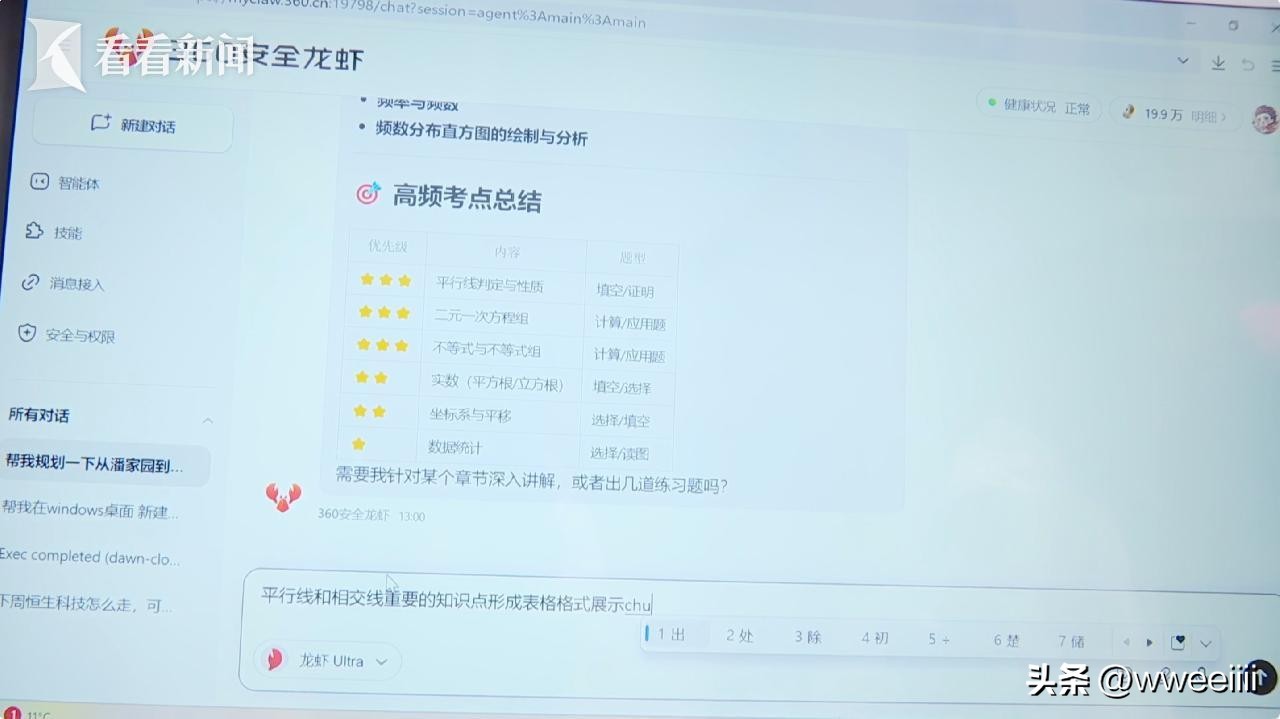
Many people confuse it with traditional AIs like ChatGPT, which are primarily advisory—answering questions, writing content, and providing solutions without executing tasks. In contrast, OpenClaw acts as a digital worker that can directly control your computer or phone, moving the mouse, typing, opening software, and handling files to complete tasks automatically.
In simple terms: traditional AIs tell you how to do things, while OpenClaw helps you do them directly. You don’t need to write code or understand technical details; just give it a command in plain language, and it will break down the steps, call tools, and execute tasks autonomously.

Why Has OpenClaw Gone Viral? Three Core Advantages
1. Local Deployment, Absolute Privacy
This is the main reason for OpenClaw’s popularity— all data is stored on your own computer and not uploaded to the cloud. Unlike many AI tools that send your chat logs, file contents, and usage habits to servers, OpenClaw runs entirely locally, ensuring you have complete control over your data. This is particularly reassuring for professionals and freelancers concerned about sensitive information leaks.
2. Versatile Execution, Covering 90% of Daily Tasks
Don’t underestimate its capabilities; OpenClaw’s skill set is extensive:
- Office Automation: Automatically organize desktop files, batch rename, analyze data in Excel, create charts, generate PPTs, send emails, and fill out reports.
- Information Processing: Browse for information, extract web content, summarize literature, monitor data changes, and auto-reply to messages.
- Life Assistant: Book tickets, remind you of schedules, organize photos, edit short videos, and even control smart home devices.
- Personalized Learning: It has long-term memory functionality, becoming more attuned to your habits and preferences the longer you use it, eliminating the need to repeat instructions.
3. Open Source and Free, Zero Barriers to Entry
OpenClaw is completely open-source and free. It supports Windows, Mac, and Linux, and is compatible with major models like GPT-4o, Claude, Kimi, and GLM, allowing for both local and cloud switching.
Additionally, the community has developed over 5,700 ready-to-use “skill plugins” that can be installed with one click, making it accessible for beginners who can set it up in just ten minutes by following a tutorial.
Real-World Scenarios: How Much Time Can OpenClaw Save You?
Here are a few everyday examples to illustrate its efficiency:
Scenario 1: Weekly Reports for Professionals
Before: Find weekly files → Organize data → Write content → Format → Email → Archive, taking at least half an hour.
With OpenClaw: Simply say, “Help me organize this week’s work files, generate a one-page report, send it to my supervisor, and save it to the desktop,” and it will complete all steps automatically.
Scenario 2: Organizing Research for Students
Before: Search for papers → Copy and paste → Organize by category → Highlight key points, a time-consuming process.
With OpenClaw: Command it to “search for the 2026 trends in AI frameworks, find five core papers, summarize key points, and organize them into a Word document,” and it will automatically search, extract, summarize, and format.
Scenario 3: Daily File Management
Is your desktop a mess? Just say, “Sort all images on the desktop by date, move documents to the corresponding folder on D drive, and delete installation packages,” and it will clean it up in minutes.
Scenario 4: Automating Repetitive Tasks
Need to send weekly reports, monthly data analysis, or daily industry monitoring? Set up scheduled tasks, and OpenClaw will execute them on time, working 24/7.
Risks for Beginners: Is There Any Risk in Using OpenClaw?
Like any tool, OpenClaw has its downsides. It has full access to your computer, so improper use can pose risks:
- Limit Permissions: Only grant necessary permissions during setup, encrypt sensitive files to avoid accidental operations.
- Guide Complex Tasks: For overly complex or vague commands (like “write complex code” or “design a high-end plan”), it may not perform well. Aim for clear and specific instructions.
- Regular Monitoring: Supervise its operations initially to correct mistakes; it will learn quickly and become more accurate over time.
Why is OpenClaw the Next Big Thing in AI?
The shift from “conversational AI” to “execution AI” is an inevitable industry trend. Previously, AI could only assist in thinking; now it can execute tasks, effectively giving AI “hands and feet.”
OpenClaw transforms AI from a mere tool into an assistant or even a dedicated employee, providing immense value for personal efficiency and corporate cost reduction. The high star ratings on GitHub, rapid community growth, and extensive user feedback confirm that this “lobster” is not a passing trend but a significant direction for AI implementation.
Final Thoughts: Should You Try OpenClaw?
If you often find yourself bogged down by tedious computer tasks, want to boost your work or study efficiency, and care about data privacy, you should definitely give OpenClaw a try.
It’s not an unattainable piece of high-tech; it’s a practical tool that anyone can use—no coding knowledge or hefty investment required. In just ten minutes, you can set up your own AI assistant that works around the clock, allowing you to focus on more valuable tasks. This is the true essence of AI.
Don’t just envy others with their “digital lobsters”; take action now, and you too can own your own AI tool and join this wave of AI efficiency revolution!
Comments
Discussion is powered by Giscus (GitHub Discussions). Add
repo,repoID,category, andcategoryIDunder[params.comments.giscus]inhugo.tomlusing the values from the Giscus setup tool.